Overwhelmed by Wedding Planning? Choose the Next Three Decisions
Wedding planning overwhelm: sort tasks into decisions, research, and waiting, then use a dependency worksheet to choose the next three actions and owners.
By The Wedding Kit by Cosmo Suite · Editorial policy
Published · 8 min read

Wedding planning overwhelm can start when every open question sits in one long list. Some items need a choice. Others need a fact from the venue or a vendor. A few are waiting on someone else. Putting those in separate groups makes the next move easier to see.
Use the worksheet in this guide to mark what each item needs, what must happen first, and who owns the next action. Then choose three useful actions to move forward. The example is fictional, and each venue or vendor detail needs confirmation for your event. If a single place for notes would help, editable wedding-planning pages can give the list a home.
Key Takeaways
- Separate decisions, research, and waiting items before choosing what to do next.
- Record the prerequisite and the person responsible for each open question.
- Pick three next actions that unblock work, use confirmed information, or need a follow-up.
At a glance: sort the list before you choose
Start by labeling each open item as a decision, research task, or waiting item. This tells you whether to choose an option, gather a fact, or follow up with someone.
| Label | What the item needs | Next useful action |
|---|---|---|
| Decision | A choice between understood options | Write the options, the decision owner, and when the choice is needed |
| Research | A missing fact that could change a choice | Ask the source that can confirm it, such as the venue or vendor |
| Waiting | An answer or action already requested | Record who was asked and who will follow up |
For example, choosing a ceremony start time is a decision. Asking the venue about its access window is research. Once you have sent that question, the item becomes waiting until someone replies. These labels describe the next step, so an item can move from one group to another as information arrives.
Why wedding planning overwhelm can grow from a mixed task list
A long list is difficult to act on when it combines preferences, unknown facts, and unanswered requests. You may feel stuck choosing a detail that still depends on the venue, or keep revisiting a question another person needs to answer.
Mind's wedding wellbeing guide suggests identifying what matters, making a plan, and categorizing a to-do list. Use those steps to choose a few details to work on at a time.
Start with a short list of the things that matter to you as a couple or to the people making the decisions. This can include a budget limit, a ceremony format, access needs, or a family commitment. The priorities will differ between weddings. You can use them to filter suggestions and identify which questions deserve an answer first.
Then move unfinished items into the three categories above. Keep details that are already settled out of the active list unless another choice depends on them. A wedding planning binder with a separate day-of packet can help hold decisions and the material helpers will need later.

Build a worksheet that shows what each item needs
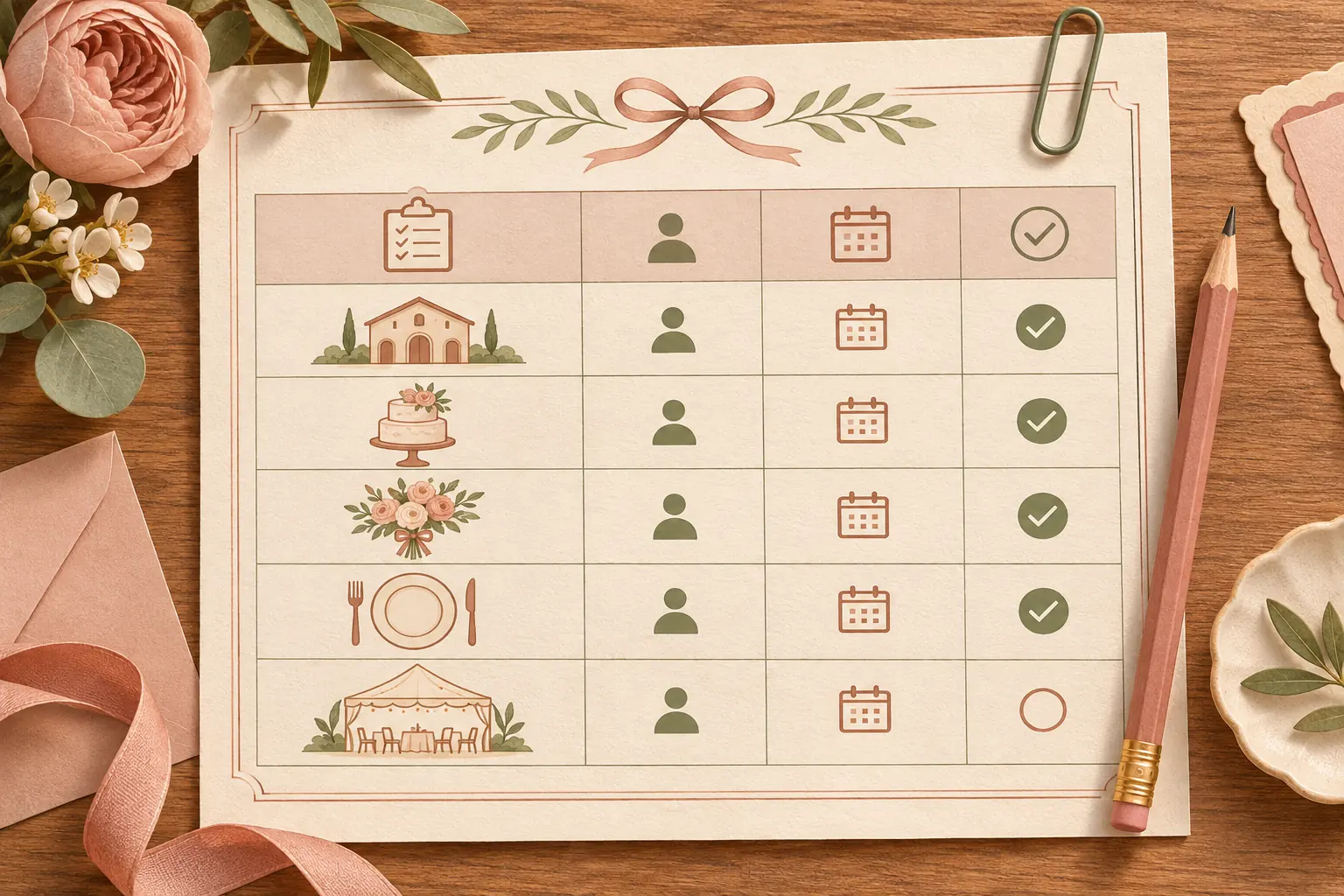
A useful worksheet records the item, its category, the prerequisite, the next action, and the owner. Add a check-in point and the evidence that will show the item is complete. Keep a field open when the source has not confirmed it.
The following example is fictional. It uses no real couple, venue, or vendor. Replace each entry with details confirmed for your own event.
| Planning item | Category | Prerequisite | Next action | Owner | Complete when |
|---|---|---|---|---|---|
| Venue access for setup | Research | The venue has the current event details | Ask the venue to confirm its access window and any setup limits | Couple or named point person | The venue's answer is recorded |
| Ceremony start | Decision | Venue access and ceremony requirements are known | Choose a start time that fits the confirmed options | Couple or agreed decision owner | The chosen time is shared with affected people |
| Decor setup instructions | Decision and research | Room layout and permitted access are confirmed | Choose the setup plan, then ask the venue to check any open placement question | Decor owner and venue contact | The approved reference and task owner are recorded |
The category can change as the task moves. If the venue has not replied, keep the access question under waiting and add the follow-up date or trigger you agreed on. The ceremony time remains a decision with an open prerequisite. When the answer arrives, update the worksheet and check which items are now ready.
Avoid writing a broad item such as “finish the wedding.” Name the next observable action: compare the confirmed venue options, send a question about room access, or ask a helper to review a draft layout. If you cannot name the action, the row may still contain several tasks or an unanswered question.
Map what must happen before each decision
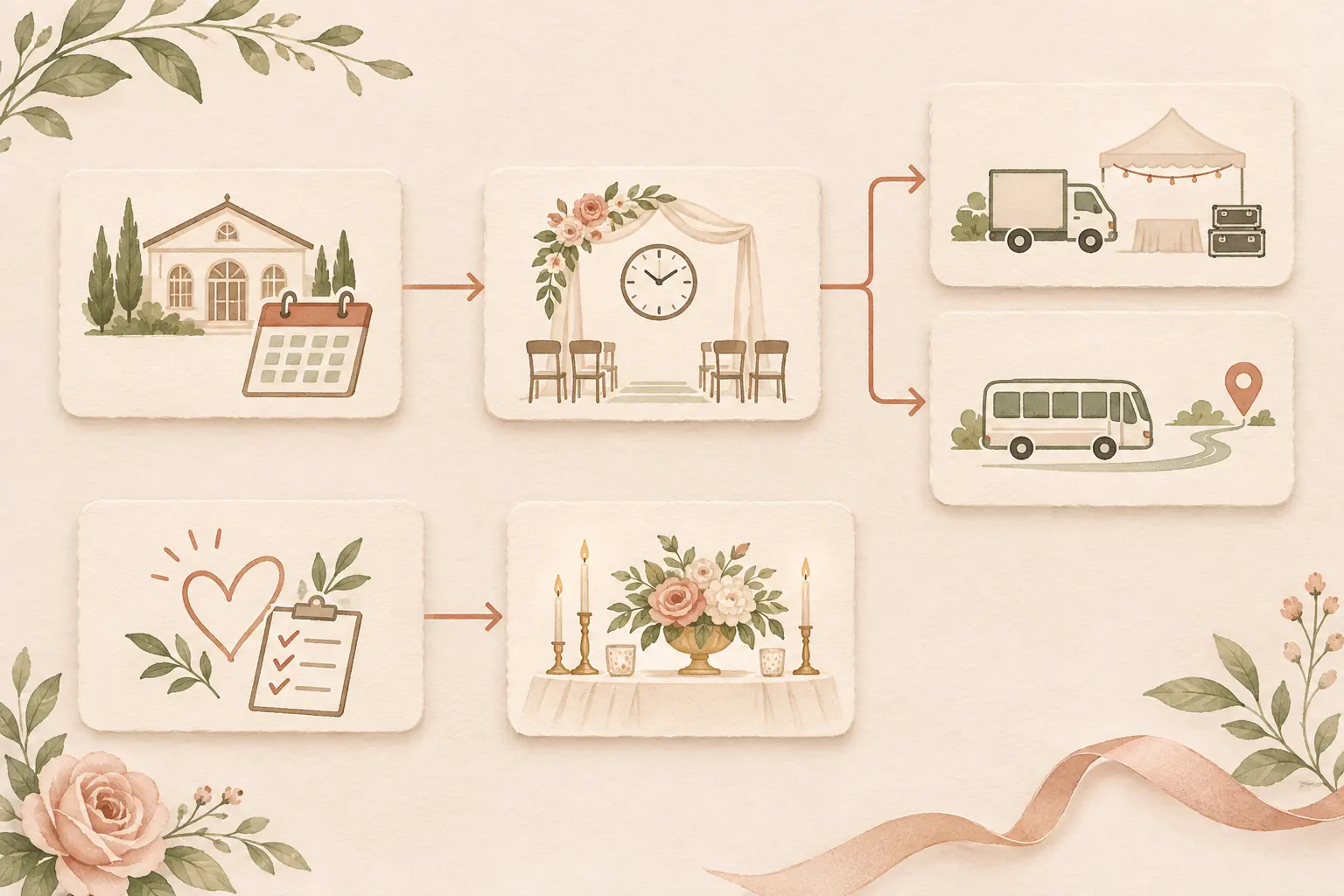
Draw a short dependency map when one choice affects other work. Put a line from the information or decision that comes first to the tasks that rely on it. This shows where a missing answer is holding up the plan.
In the fictional example, a venue answer about access may affect when decor can be set up. The agreed ceremony time can affect the schedule shared with helpers and vendors. A guest transport plan may also depend on the ceremony time and the venue's location. Ask each responsible person to confirm their part before you mark a time or arrangement final.
Keep personal priorities beside the map as decision criteria. The map shows what depends on what; your priorities help you decide which valid option fits your event. Family preferences, cultural or religious practices, accessibility needs, and venue rules may all affect the choices. Leave room for those details instead of treating a sample sequence as universal.
For a day-of handoff, keep the wider archive and the helper's working instructions distinct. The wedding day binder template covers a limited packet with current schedules and open items. For questions that depend on a supplier, the wedding vendor contact list can hold the main contact, backup, arrival window, and escalation owner.
Choose the next three actions
Pick actions that remove a blocker, use information already confirmed, or keep an important request from being forgotten. A next action can be research, a choice, or a follow-up. It does not have to be a decision if the facts are not ready.
Use these checks:
- Find the blocker. Which missing answer is holding up other tasks? Write a clear question and send it to the person or organization that can confirm it.
- Choose what is ready. If the facts and options are clear, name who will make the choice and when the affected people need it.
- Assign the follow-up. For requests already sent, record who will check back and when. Keep dependent tasks marked open until the answer arrives.
If several items pass the checks, start with the one tied to a confirmed deadline or the one that unlocks more of the plan. Avoid ranking details by how loud or urgent they sound in a group chat. Check the actual deadline and consequence with the person responsible.
Before adding an action, ask whether a helper can complete it without choosing something that belongs to you. “Find the venue's current access instructions” can be delegated. “Change the ceremony plan if the room is unavailable” needs a named decision owner and an agreed fallback. Write that boundary beside the task.
Use three visible actions for a working review, even when your full archive is longer. After one is done, mark it complete, check the dependencies, and bring forward the next useful action. Mind's guide also recommends planning in manageable doses and making time away from wedding tasks; use a rhythm that fits your other commitments. A set of wedding planning pages for budget, vendor, and day-of details can hold the entries you need to revisit.
Give helpers a clear task and boundary
A helper needs one action, one useful reference, a point of contact, and a clear boundary for changes. Ask whether they have accepted the task before adding their name. An owner field is a record of an agreement, not a guess about who might help.
For each handoff, include:
- The action and location, if relevant.
- The current reference or file to use.
- Who owns the task and who can approve a change.
- What remains unconfirmed and who will get that answer.
- Where to report completion or a problem.
The Canva Help Center's sharing guidance describes view, comment, and edit permissions. Check the access level before sending an editable plan. Share the pages each helper needs and keep personal or unrelated details out of that copy.
If your venue is in the United States, the U.S. Access Board's guide to accessible routes explains how routes connect arrival points and accessible entrances. Use it as a prompt to ask the venue about the actual site and event layout. For a venue elsewhere, check the relevant local guidance and ask the venue to confirm arrangements.
Keep the plan current as answers arrive
Update the row that changed when someone confirms a detail. Record the source and the date or message you checked, then review the dependent tasks. A new answer can make a choice ready or change the work that follows it.
Keep one current working copy and identify who updates it. If helpers receive a printed or downloaded copy, tell them how to recognize the current version and where to find later changes. Canva's permissions can be changed by the owner or a person with edit access, so review access when the helper list changes.
During a planning check-in, scan only the open items: what is waiting, what became ready, what has a confirmed deadline, and what no longer fits your priorities. Move completed rows out of the active view. If a request has no response, choose whether to follow up, use another confirmed option, or keep that decision open. The plan should show what is known and who will act next.
Why trust this article
The Wedding Kit by Cosmo Suite publishes this guide. Product details were checked against the public product contents. The linked guidance comes from Mind, Canva, and the U.S. Access Board, and was checked on November 3, 2026. The worksheet and dependency map are fictional planning examples. This article covers task organization; it does not replace venue or vendor confirmation, local requirements, or mental health support.
How The Wedding Kit can hold the planning details
The Wedding Kit includes a Wedding Planning Book with budget, vendor, guest, seating, and decor pages. The Big Day Wedding Binder includes contacts, schedules, timelines, and a photography shot list. Its Wedding Worksheet Library offers additional planning pages. The public contents also list decor setup pages and a venue layout builder.
These pages can give your choices, source notes, and open questions a shared place. Venue rules still need direct confirmation, and each task needs an owner. Check that the included pages fit your own planning method, then record who owns each next action. You can review the editable wedding-planning pages and decide whether they suit the way you want to organize the work.
Frequently asked questions
Where should I start when wedding planning feels overwhelming?
Write down the open tasks, then label each one as a decision, research task, or waiting item. Find the question that blocks other work and name who will get the answer. Choose the next actions after you can see what depends on what.
How do I decide which wedding task to do first?
Start with an item that blocks other work or has a confirmed deadline. If a choice depends on missing information, make the next task a specific question for the venue, vendor, or person who can confirm it.
How can I separate a decision from a research task?
A decision selects among options you understand. A research task gathers a missing fact that could change the choice. Write the question and its source so you know when the decision is ready.
How do I involve family without giving up decisions that matter to us?
Choose which tasks someone can own and which decisions stay with you. Give helpers a clear action and a way to ask before changing plans. You can hear suggestions and still make the final choice together.
What should I do while waiting for a venue or vendor answer?
Record the question, who you asked, and who will follow up. Keep dependent choices marked open. Work on tasks that do not rely on that answer, and update the plan when the source confirms it.
How can I delegate wedding planning tasks clearly?
Give one person an action, a useful reference, a due point, and a clear boundary for decisions. Confirm that the person has accepted the task and share only the planning details they need.
Sources
Keep reading
Wedding planning
Wedding planning binder: build one you can hand over
Wedding planning binder: set up a useful index, keep originals organized, and prepare a smaller handoff packet with owners, confirmed times, and version dates.
· 9 min read
Wedding planning
Wedding day binder template: prepare a clear handoff
Wedding day binder template: arrange confirmed contacts and schedules, flag open setup details, and give each helper the current version they need.
· 10 min read

Wedding planning
Wedding vendor contact list: fields that prevent missed calls
Wedding vendor contact list: record primary and backup contacts, arrival windows, and escalation owners so helpers know whom to call when plans change.
· 7 min read